Simple Weather Forecast Web Application - My City Climate
Project Overview
The Weather Forecast Web Application is a user-friendly platform designed to provide users with up-to-date weather information for various cities around the world. This web application offers real-time weather data, temperature forecasts, and other relevant meteorological details to help users plan their activities and make informed decisions based on weather conditions.
Key Features
- City-Specific Weather: Users can search for weather information for a specific city by entering its name in the search bar. The application provides accurate weather data for the queried location.
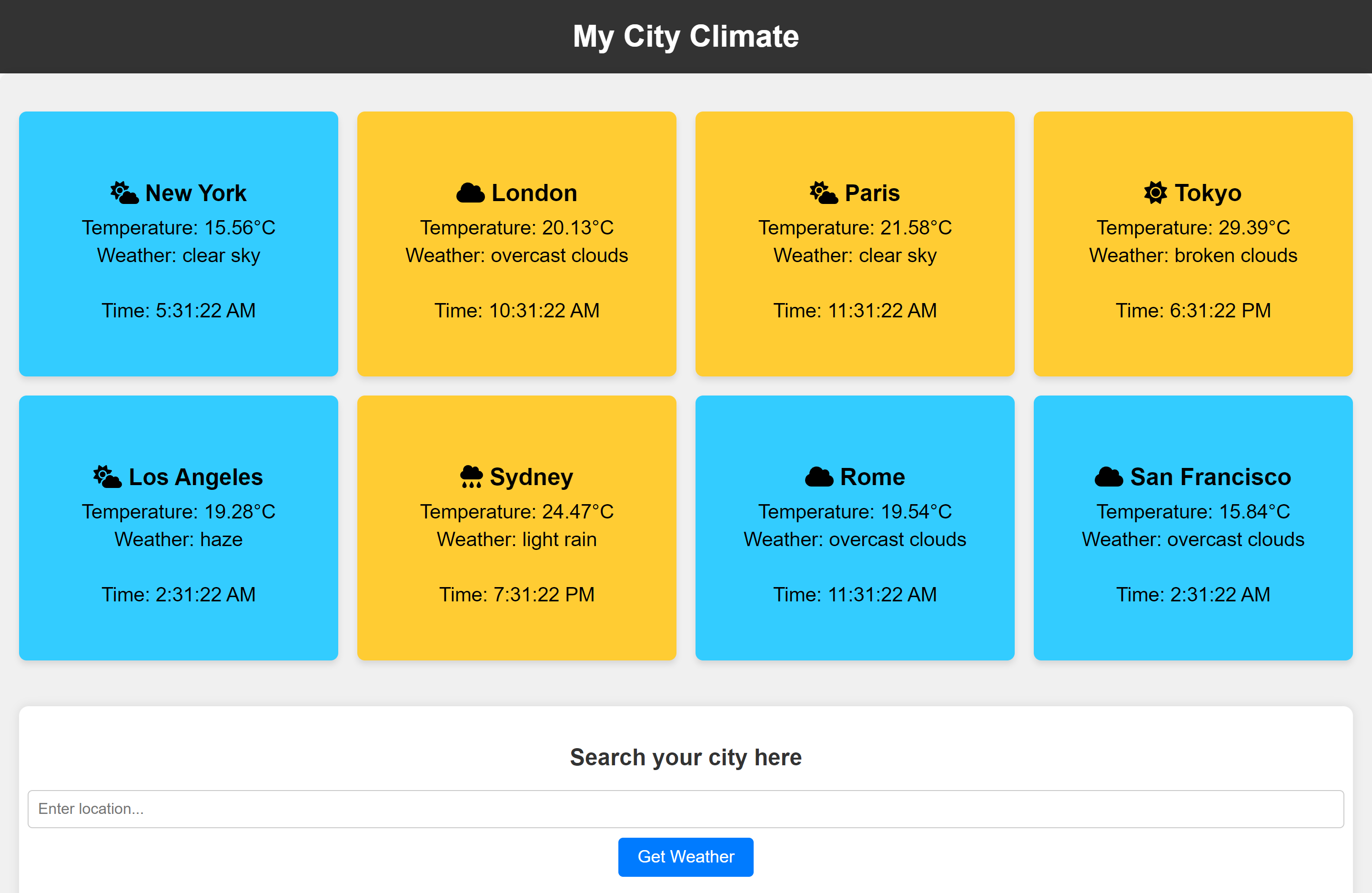
- Popular City Weather: The app displays weather information for popular cities by default, allowing users to quickly access weather updates for commonly searched locations.
- Temperature and Weather Icon: For each city, the web application displays the current temperature in degrees Celsius and an easily recognizable weather icon. The weather icon changes based on the current weather conditions (e.g., sunny, cloudy, rainy).
- Dynamic Background Colors: The background color of each city's weather card changes based on the temperature to provide a visual representation of weather conditions (e.g., blue for cool weather, red for hot weather).
- Error Handling: The application includes error handling to notify users when they enter an incorrect city name or if there are any issues with fetching weather data.
- Timezone Display: When users search for a specific city, the application not only provides weather information but also displays the local time for that city. This feature allows users to plan their activities according to the local time of their desired location.
- Responsive Design: The web application is designed to be responsive, ensuring an optimal user experience on various devices, including desktops, tablets, and mobile phones.
Technologies Used
- React.js: The frontend of the application is built using the React.js library, allowing for the creation of dynamic and interactive user interfaces.
- OpenWeatherMap API: Weather data is fetched from the OpenWeatherMap API, providing accurate and up-to-date meteorological information.
- FontAwesome Icons: FontAwesome icons are used to display weather conditions with visually appealing icons.
- CSS: Custom styling and responsive design are implemented using Cascading Style Sheets (CSS).
- JavaScript: JavaScript is used for dynamic content generation and error handling.
- Interval Updates: The application periodically updates weather information and time, ensuring users receive the latest data.
Target Audience
The Weather Forecast Web Application is designed for a broad audience, including individuals planning their daily activities, travelers, event organizers, and anyone seeking weather updates for specific locations. Its user-friendly interface makes it accessible to users of all technical backgrounds.