My Portfolio Website
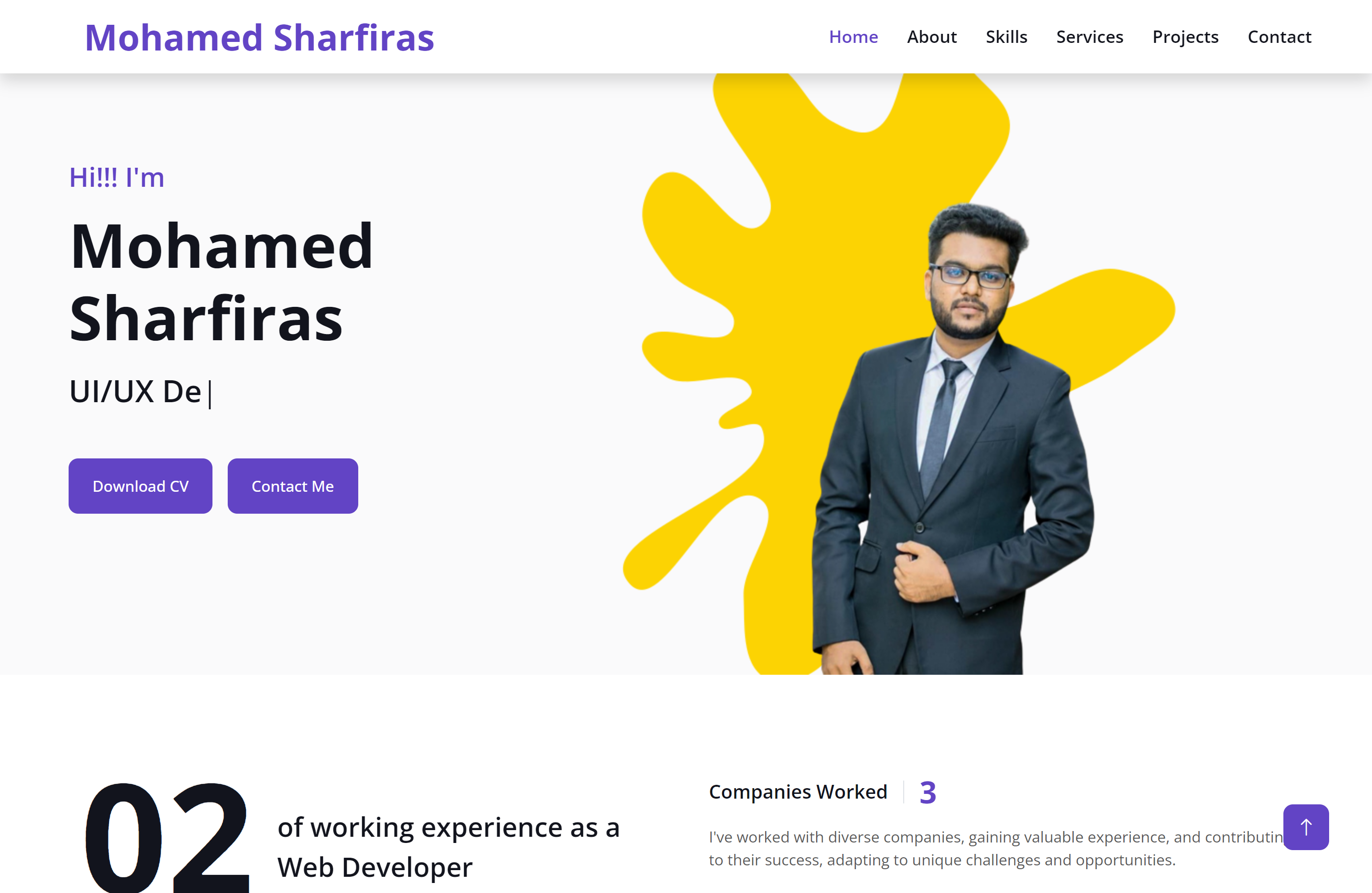
Project Overview
A personal portfolio website holds immense value from my perspective.
It serves as a vital tool for individuals like me, whether I'm on the
lookout for job opportunities, operating as a freelancer, or venturing
into entrepreneurship. This platform enables me to establish a strong
online presence and shape my professional brand effectively.
In my case, the portfolio functions as a dynamic exhibition of my
skills, projects, educational background, and career journey. As a job
seeker, it gives me a competitive edge by showcasing my unique
strengths and previous accomplishments. When I'm freelancing, the
portfolio becomes my virtual storefront, attracting potential clients
by demonstrating my expertise. And as an entrepreneur, it bolsters my
credibility and connects me with my target audience.
In today's digital age, where initial impressions are often formed
online, my personal portfolio becomes the linchpin of personal
branding, allowing me to create a distinctive online persona. It
stands as a testament to my capabilities, making it an indispensable
asset in my quest to excel in my chosen field and leave a lasting
impact in the digital realm.
Technologies Used
The website is developed using a combination of the following technologies:
- HTML
- CSS & SCSS
- JavaScript
- Bootstrap
- JQuery
Project Features
The e-commerce website will include the following features:
- Home page: A landing page that introduces myself and my portfolio, with a call-to-action button to view my projects or contact me.
- About section: A section that provides more information about myself, including my skills, education, experience, and interests.
- Skills section: A section that highlights my technical and soft skills, with progress bars to visualize the proficiency level.
- Experience section: A section that details my work experience, including past roles, responsibilities, and achievements.
- Education section: A section that provides information about my educational background, including degrees, institutions, and graduation dates.
- Services section: A section that outlines the services I offer, including any specializations or unique selling points.
- Projects page: A page that showcases the projects, with a thumbnail image, a brief description, and a link to the project's website or repository.
- Responsive design: A design that adapts to different screen sizes and devices, such as desktop, tablet, and mobile, with a mobile-first approach.
- Contact section: A form section that allows visitors to contact me via a form, email, or social media.