Simple Quiz App - Quizzy Brain
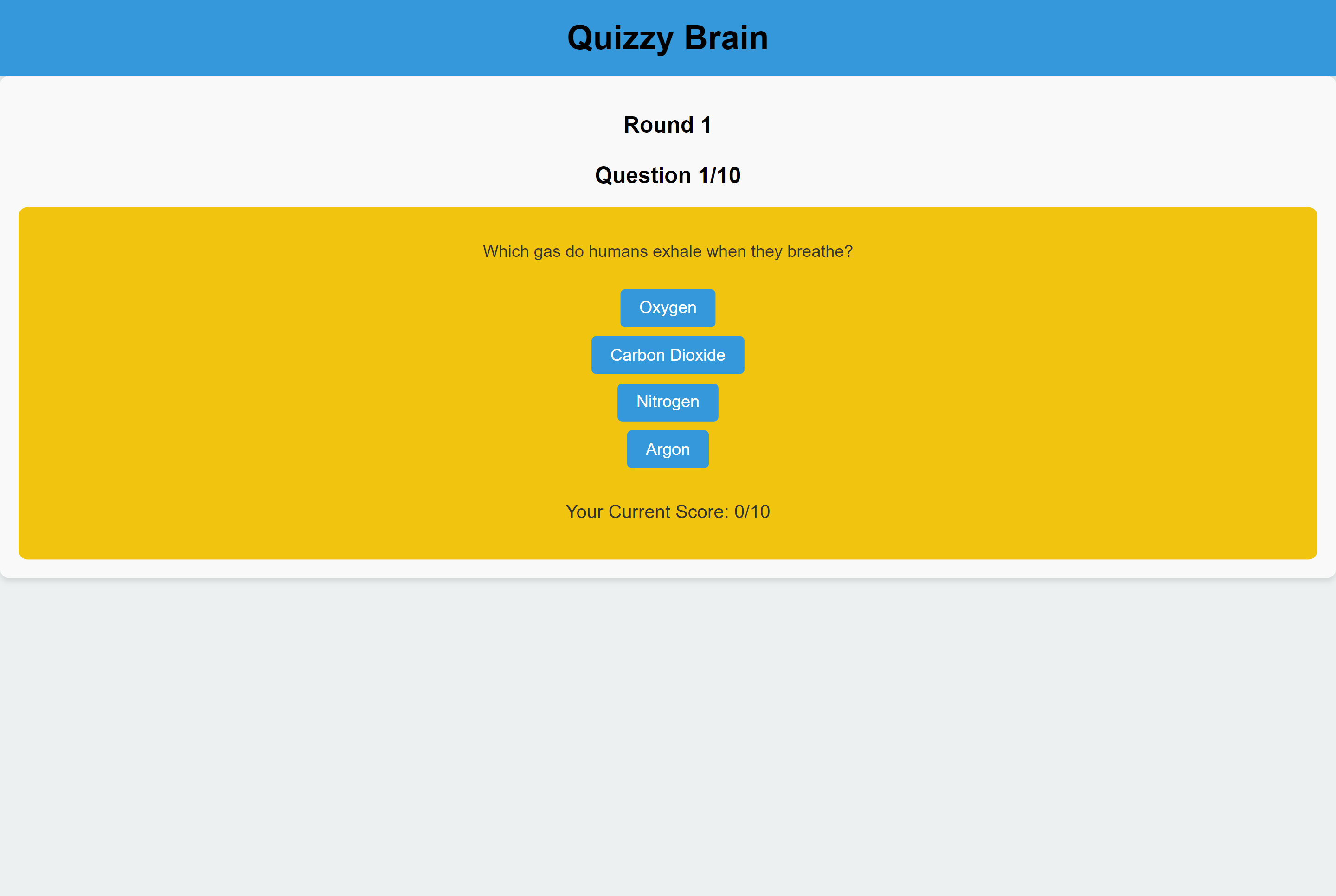
Project Overview
The React Quiz Application is a web-based quiz platform that allows users to test their knowledge by answering trivia questions. It is built using the React JavaScript library for the frontend. This project aims to provide an engaging and interactive quiz experience for users.
Key Features
- User-Friendly Interface: The quiz interface is designed to be intuitive and user-friendly, making it easy for players to navigate and enjoy the quiz.
- Multiple Rounds: The quiz consists of multiple rounds, providing players with an engaging and challenging experience as they progress through each round.
- Randomized Questions: Questions are randomized for each round, ensuring that players face new and unique challenges with every playthrough.
- Scoring: Players earn points for each correct answer, allowing them to track their performance and strive for a higher score.
- Progress Tracking: The quiz keeps track of the player's progress, displaying the current round and question number.
- Instructions: Clear instructions are provided to guide players on how to play the quiz and what is expected of them.
- Round Progression: Players must score a minimum number of points to progress to the next round, adding an element of challenge and competition.
- Final Score: At the end of the quiz, players receive their final score, reflecting their overall performance throughout all rounds.
- Responsive Design: The quiz is designed to be responsive, ensuring a seamless and enjoyable experience on various devices and screen sizes.
Technologies Used
- React: The frontend is built using React, a popular JavaScript library for building user interfaces.
- JavaScript: JavaScript is used for implementing the application's logic and interactivity.
- CSS: Cascading Style Sheets (CSS) are employed for styling the user interface, providing an attractive and engaging design.
- JSON: Questions and quiz data are stored in JSON format and loaded dynamically into the application.
Futuren Enhancements
- User Authentication: Implement user authentication to allow users to save their scores and track their progress over multiple sessions.
- Leaderboards: Add a leaderboard feature to display the top scores achieved by users.
- Timer: Incorporate a timer for each question to add an element of time-based challenge.
- Category Selection: Allow users to choose quiz categories or themes.
- Sound Effects: Enhance the user experience with sound effects for correct and incorrect answers.